OCO vs OSO on cTrader: Linked Orders Without the Mix-Ups
What Order Cancels Order and Order Sends Order actually do, how a breakout bracket differs from a staged entry, the mix-ups that leave a live pending biting you, and how linked setups work on cTrader.
OCO vs OSO on cTrader: Linked Orders Without the Mix-Ups
You've got a clean range on GBPUSD. Buy stop above the high, sell stop under the low. Both sides armed. One of them fills on the break.
The other pending is still sitting there.
Twenty minutes later price snaps back through the range, tags that leftover stop, and you're long and short at the same time — or flat with a loss you never meant to take. The setup was fine. The link between the two tickets wasn't.
That link is what OCO and OSO are for. Same family of linked pending orders, opposite jobs, and easy to mix up if you only remember the acronyms.
What OCO actually does
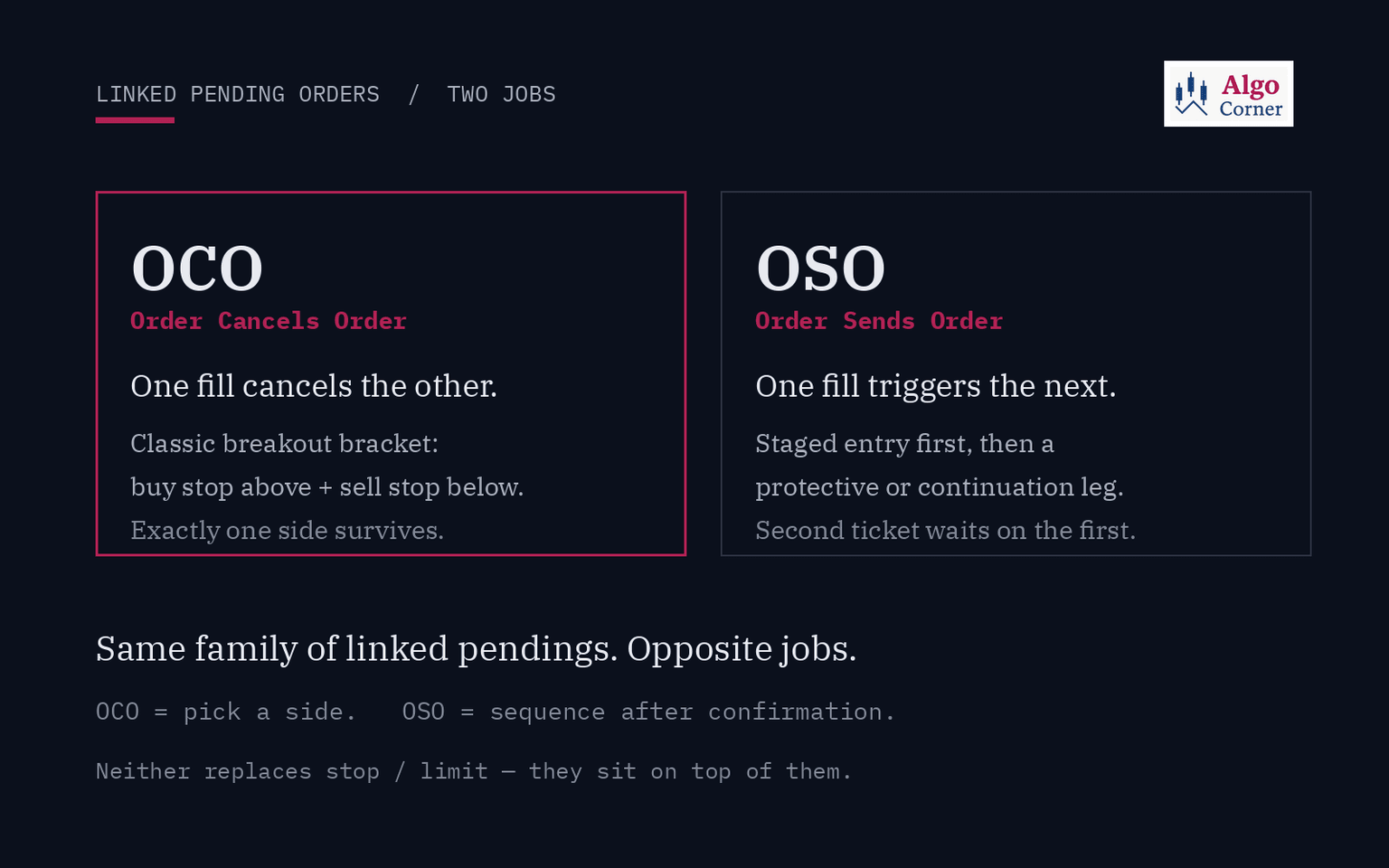
OCO means Order Cancels Order. Two pendings share one rule: when one fills, the platform cancels the other.
The classic use is a breakout bracket. Buy stop above resistance, sell stop below support. Price picks a side. The filled leg becomes your position. The opposite stop disappears so it can't fill later and reverse you by accident.
Both legs are pending until the first fill. Neither is "more important." Whichever hits first wins, and the loser is cancelled. That's the whole contract.
You can still attach a stop loss and take profit on each leg. Those protect the live trade after the fill. They are not the OCO link. The OCO link only couples the two entries.
What OSO actually does
OSO means Order Sends Order. One fill triggers (sends) the next order instead of cancelling anything.
Think of it as a staged setup. First you place an entry — often a stop or a limit at a level you care about. When that entry fills, the platform places the second order for you. That second leg might be a protective stop, a take-profit limit, or a continuation order further along the move.
The point is sequence. Nothing on the second ticket goes live until the first ticket fills. If the entry never triggers, the follow-up never appears. You're not sitting on two independent risks at once.
On a breakout that you only want to scale into after confirmation, OSO fits better than parking two full-size stops and hoping you cancel the right one by hand.
When each one fits — and the usual mix-ups
Use OCO when you want exactly one of two outcomes. Range breakouts. News brackets. "I'm fine going long or short, but not both."
Use OSO when the second ticket only makes sense after the first one is real. Entry first, then protection or a runner. Staged scale-ins. Anything where order B would be wrong if order A never filled.
The mix-ups show up the same way every week.
People place two independent pendings and call it an OCO. It isn't. Without the cancel link, the second ticket stays live after the first fill. That's how you end up hedged by accident.
People arm a clean OCO bracket and forget the stop loss on the live leg. The leftover entry gets cancelled — good — but the filled trade has no protection. A fill at 3am with no stop is a bigger problem than picking the wrong acronym.
People reach for OSO when they meant OCO, park a second entry that only sends after the first fill, and then wonder why the opposite side of the range never got cancelled. Different tool. Different job.
If you're still shaky on which pending goes above price and which goes below, start with buy stop vs buy limit on cTrader. OCO and OSO sit on top of those order types; they don't replace them.
Doing it by hand on cTrader
cTrader will let you place both tickets from the order ticket. What it won't do is babysit the link for you unless you build that logic yourself.
So the manual path looks like this: open a buy stop, type the price, set size, set SL/TP, confirm. Open a sell stop, type the other price, set size, set SL/TP, confirm. Watch. When one fills, cancel the other before price can come back and tag it.
Under a fast London open that cancel step is the failure point. Two charts. A news spike. You alt-tab to the wrong ticket. The leftover pending fills while you're still looking for it. Typo the price by a pip or two and you've armed the wrong level entirely.
That's friction, not strategy. The bracket idea was sound. The hand-linking wasn't.
Linked setups without retyping prices
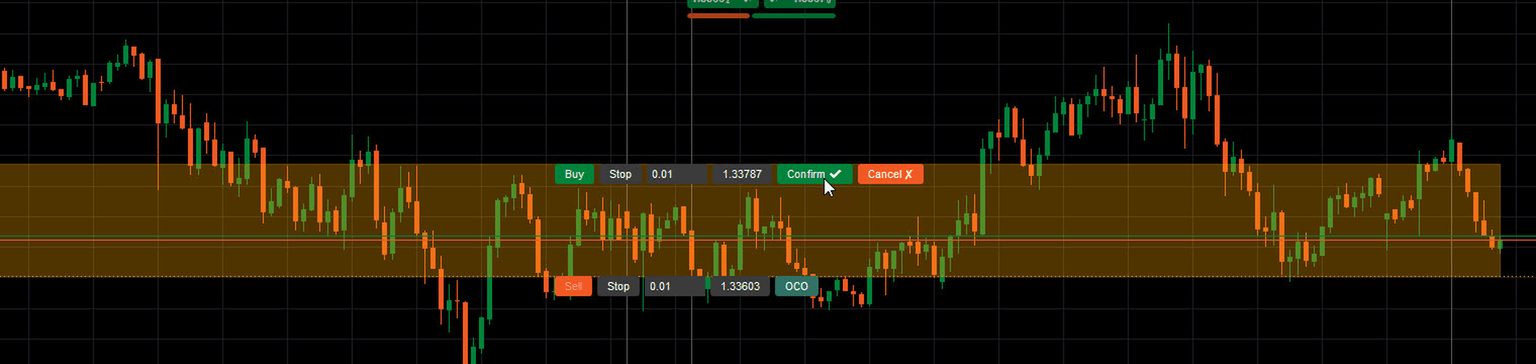
We built Flash OCO OSO, a cTrader Desktop plugin (not a cBot, not chart-attached), for exactly that job. Click a price on the chart, a short bar appears, confirm. The second order is linked. Drag the visual order lines to the level you want; the price field stays locked to the chart, so you can't type over it by mistake.
You can run multiple independent setups. Each leg gets its own stop loss, take profit, lot size, Buy/Sell, and Stop/Limit. One expiry covers the setup (seconds, minutes, hours, or days; 0 means GTC). On OCO both legs expire together. On OSO only the entry expires. Invalid inputs go red and Confirm stays off. Shift+X cancels the setup you're working on. Light and dark themes, plugin icon in the toolbar, support by email, instant download, lifetime updates.

It's on the cTrader Store. Details are on the Flash OCO OSO page. For the pending-order types those bars sit on, see buy stop vs buy limit. If you're scanning several pairs before you arm anything, forex correlation covers the filter step that comes first.
One fill should decide the other ticket. Link them on purpose, or cancel by hand before the market does it for you.