Scaling In on cTrader: Spread Your Entries Without the Ticket Grind
Why one entry at one price is fragile, how to scale into a zone with a ladder of pending orders, how to size and stop the whole stack, and how to place it on cTrader without typing every ticket.
Scaling In on cTrader: Spread Your Entries Without the Ticket Grind
You marked the zone an hour ago. EURUSD, old supply, somewhere between 1.0850 and 1.0880. You park one sell limit at 1.0870 because that looks like the middle.
Price prints 1.0866, stalls, and drops 60 pips without you.
Or the opposite. You leave the limit at 1.0855 to be safe, it fills, price wicks up to 1.0879, tags your stop by two pips, and then sells off exactly the way you drew it.
Same read both times. The problem was betting the whole trade on one price inside a zone that was never one price wide.
A zone is a range, so trade it like one
Most levels traders actually use aren't lines. Supply and demand areas, a fair value gap, a prior day's high with some wick on top of it. You know roughly where the reaction should be. You don't know the exact tick.
One entry forces you to guess that tick. Guess shallow and you get filled early with the widest stop. Guess deep and you miss the move.
Scaling in means splitting the size you were going to trade anyway into several smaller pending orders spread across the zone. Shallow price tags one or two of them. A full test fills the lot. Either way you're in the trade, at an average that reflects where price actually went.
What the math looks like
Say you'd normally sell 0.60 lots. Split it into three sell limits of 0.20 each at 1.0850, 1.0865 and 1.0880.
If all three fill, your average entry is 1.0865 on 0.60 lots. Same size you planned, better price than the bottom of the zone.
If only the first one fills, you're short 0.20 at 1.0850. Smaller position, but you're not watching from the sidelines.
You can also weight the stack. Smaller up front, bigger toward the far edge, so the deeper fills carry more of the position. That's a choice you make before price gets there, not a reaction after.
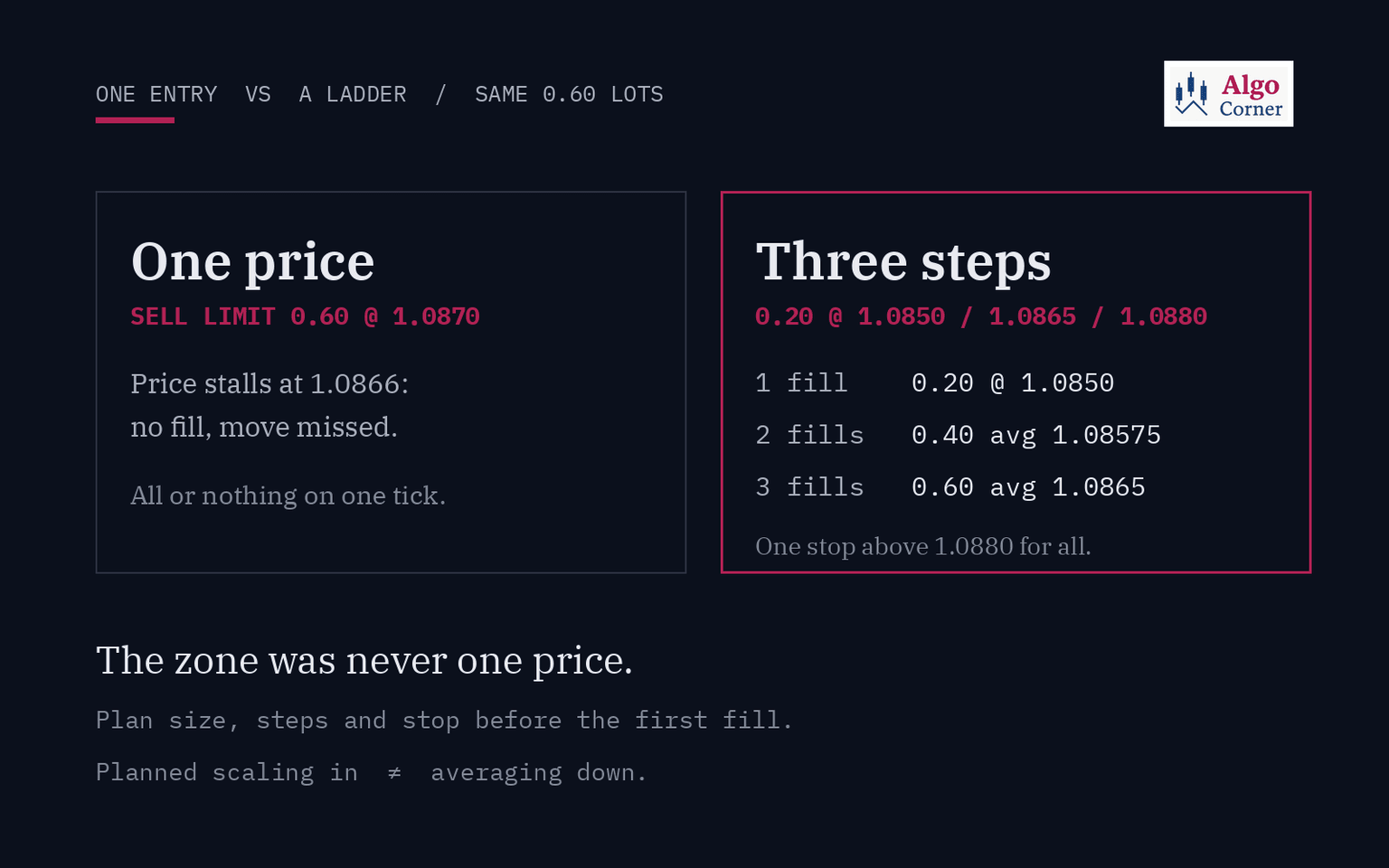
Planned scaling in vs averaging down
This part matters. Scaling in and averaging down can look identical on the chart. They aren't.
Scaling in is planned. Zone, number of orders, size per order and one stop are all decided before the first fill. Total risk is known up front and doesn't change if every order gets hit.
Averaging down is a reaction. The trade goes against you, so you add more because the price is "better now," without a stop that was set for the full size. That's how a 0.20 lot idea turns into a 1.00 lot problem.
The test is simple. If every order in the ladder fills and price runs to your stop, can you live with the loss? If you can't answer that before you place it, it isn't a plan.
Where to put the stop
Put one stop beyond the whole zone, not one stop per order sized to that order's entry. If the zone is wrong, it's wrong for all of them.
Per-order stops at a fixed pip distance sound tidy, but they stagger your exit. The shallow order gets stopped first, the deeper ones hang on, and you end up half out of a trade whose idea is already dead.
Same with targets. If they share one take profit, the whole position exits together when price gets there. If you want a runner, decide that on purpose, not because the TP levels happened to land in different places.
If you're unsure which pending type goes on which side of price, buy stop vs buy limit on cTrader covers it. A sell ladder into resistance above price is sell limits. A buy ladder into support below price is buy limits.
Doing it by hand on cTrader
cTrader will happily take five pending orders. You just have to type all five.
Open the ticket. Pick the type. Enter price one, size, SL, TP. Confirm. Do it again for price two. Then three, four, five. Do the spacing math in your head, or in a notepad, while the market keeps moving.
Then the setup goes stale. Price never came. Now you're cancelling five tickets one at a time from the orders tab, hoping you didn't miss one that fills overnight.
None of that is hard. It's just slow, and slow is where typos happen. A fat finger on the third order puts it 100 pips off, and you won't notice until it fills.
Spreading entries across the chart
We built Gradient Orders, a cTrader cBot, for exactly this. You drag the mouse over the chart to set the range, and it places the trades split across it. In the settings you pick the number of trades, the initial lot size, and how much to increment or decrement the lots on each step if you want to weight the stack.
Targets are set in pips for SL and TP, with options to put every buy or every sell on one shared SL level and one shared TP level. Placing SL and TP targets for all trades also works with a single hotkey. Cancel Orders and Close Position buttons sit on the chart, so pulling a stale ladder or closing the filled position is one click. Line colour, style and thickness, the label, and the button position are all in the settings, and the buttons can be hidden.
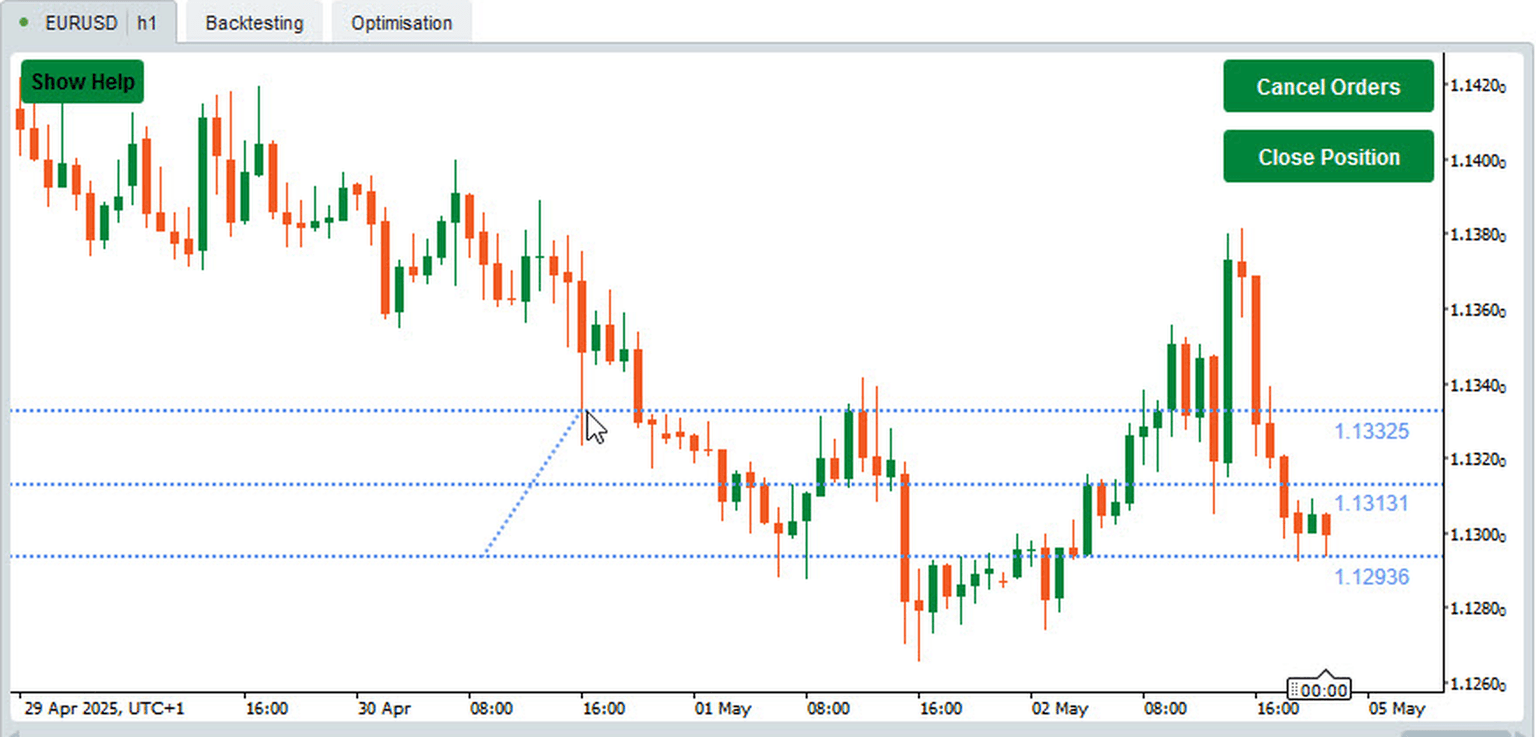
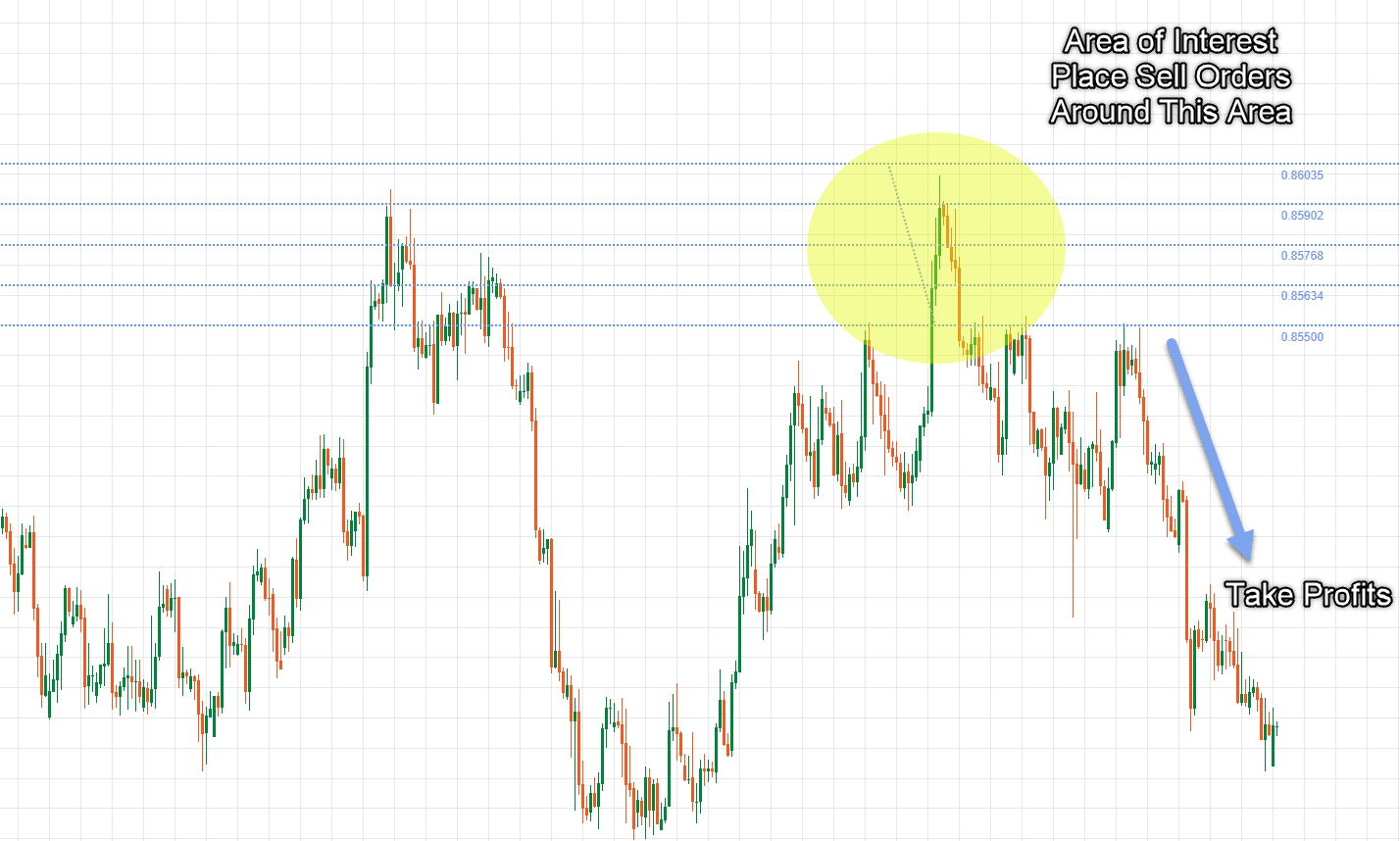
It's on the cTrader Store. Details are on the Gradient Orders page. If you'd rather link two entries so only one survives, OCO vs OSO covers that next step.
The zone was never one price. Your entry doesn't have to be either. Decide the size, the steps and the stop before price arrives, then let the fills come to you.